
After signing into your personal account and selecting Agents, when you create an Agent, the system will generate a code for the Agent, which you will need to enter when installing the Agent.
This Installation code is shown in the following format: 123-456-789
Here is an example of the Installation code:
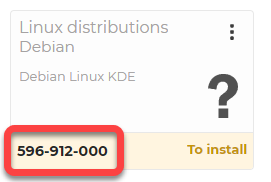
⚠️ Important: each time you create an agent, the system generates a different code. You can install the created Agent with its own generated code.
Watch our related video on How to install the Agent with installation code: