
ℹ️ Pasting is not allowed on the login screen of operating systems. Therefore, using the Copy and Paste functions of our service is not possible to paste the password for remote login.
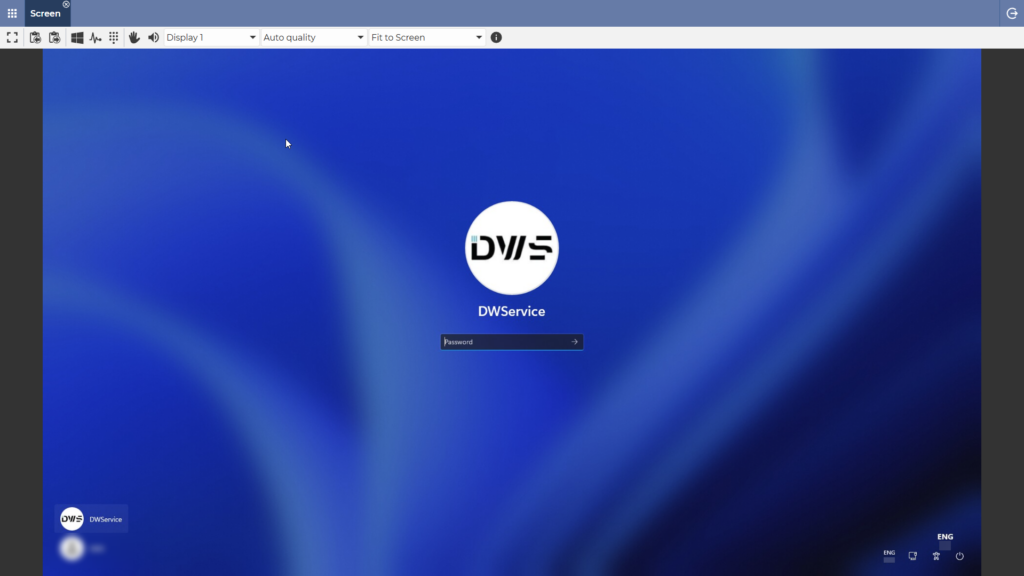
✅ However, we have implemented a new feature that solves this problem. We will now show you how this feature works:
- Copy the password on your local clipboard using one of the following methods:
- On Windows or Linux ⇒ select password, then press Ctrl + C
- On Mac ⇒ select password, then press Command + C (⌘ + C)
- Select password, mouse right-click, then select Copy
In the Screen application, in the toolbar, there is a Sending keystrokes button:
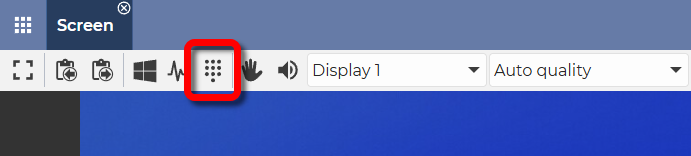
2. Clicking (tapping) on Sending keystrokes button will bring up a small window.
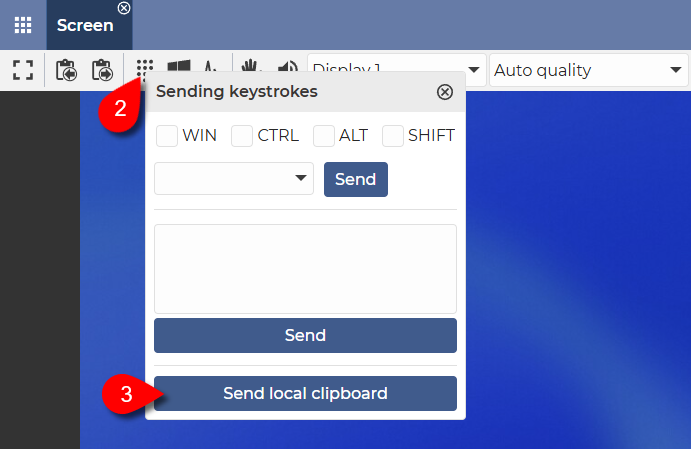
3. Clicking (tapping) on the Send local clipboard button will paste the text on your local clipboard onto the remote device.
✅ This solution makes it possible to paste the password on the remote logon screen and easier to log in to the remote device. Especially if the password of the remote device is complex and/or long.
Alternative solution:
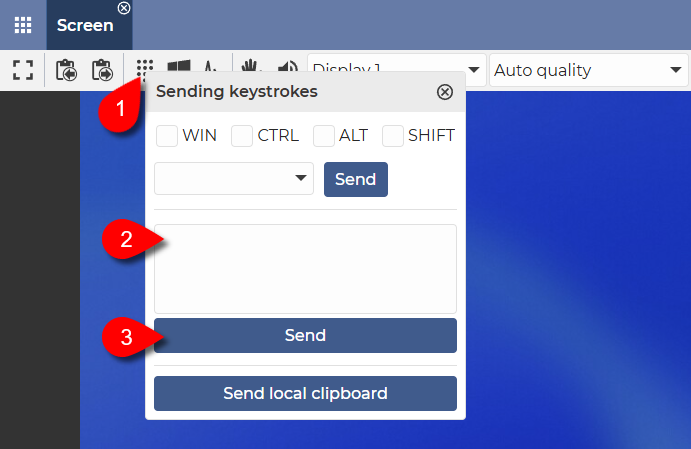
- Click on the Sending keystrokes button.
- Type in the password or paste it from your local clipboard.
- Then click on the Send button.
✅ With this method, the text in the input field will be entered on the remote device.
📧 If you have any feedback on how this feature works, we would love to hear from you at support@dwservice.net.