
ℹ️ The Sending keystrokes feature, as the name indicates, allows you to send specific keystrokes to the remote device.
Depending on your needs, you can use the following options:
- Sending a specific key combination
- Sending text entered in a text field to the remote device
- Sending text from the local clipboard
Sending a specific key combination
On the toolbar of the Screen app, click on the Sending keystrokes button:
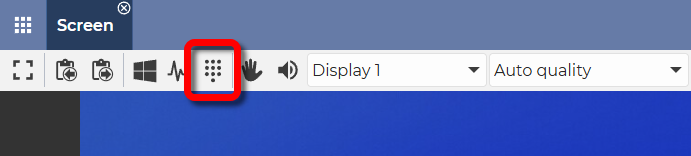
In the window that appears, select the key combination to be sent:
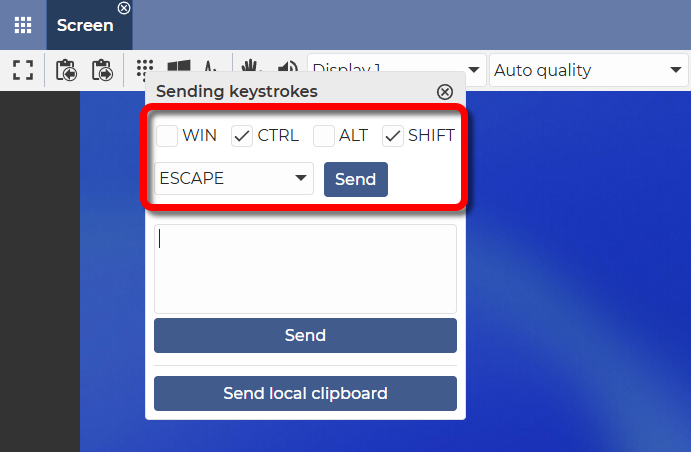
After selecting the key combination, click on the Send button.
✅ By clicking on the Send button, the key combination will be sent to the remote device.
For example: CTRL + SHIFT + ESCAPE
Result: Sending the Ctrl + Shift + Esc key combination opens the Task Manager on the remote Windows system.
Sending a text entered in a text field to the remote device
On the toolbar of the Screen app, click on the Sending keystrokes button:
In the window that appears, you can enter (or paste) the text you want to send:
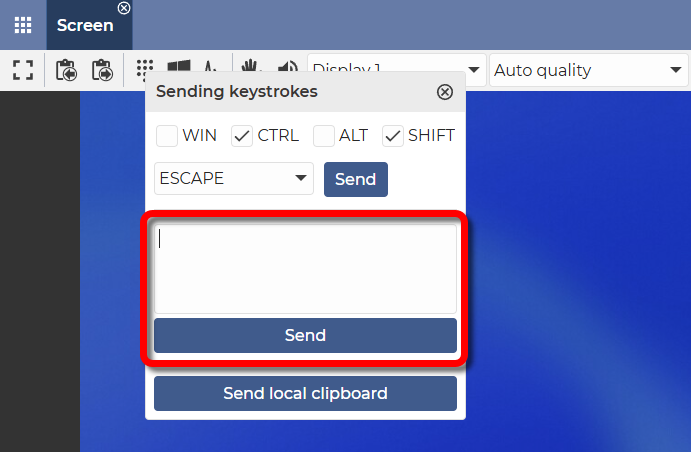
There are multiple ways to enter text:
- Type it manually.
- Paste text that you have previously copied to your clipboard. With one of the following methods:
- On Windows: Ctrl + V
- On Linux: Ctrl + V
- On Mac: Command + V (⌘ + V)
- Right–click with the mouse, then select Paste
- On mobile devices: long tap, then select Paste
Then click on the Send button.
✅ With this solution, the text is pasted into the remote device.
⚠️ Note: This function sends the text character by character to the remote device.
Sending the text from the local clipboard
ℹ️ This feature allows you to paste text copied to the local clipboard onto a remote device.
On the toolbar of the Screen app, click on the Sending keystrokes button:
In the window that appears, click on the Send local clipboard button:
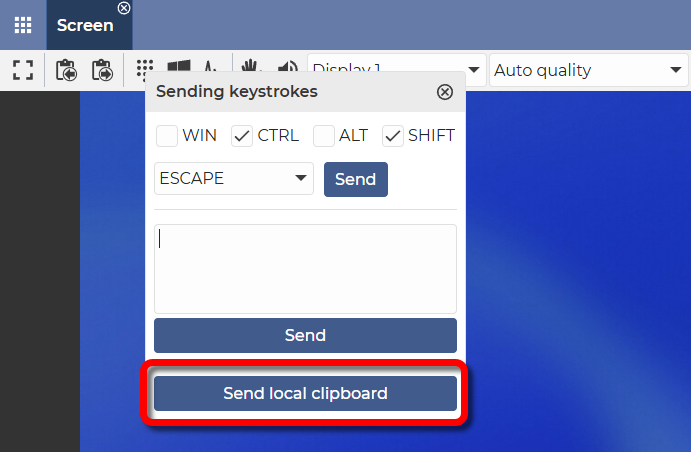
✅ By clicking on the Send local clipboard button, the text previously copied to the clipboard will be pasted onto the remote device.
💡 Hint: You can use this function to fill in the password field during the remote login process (even if the clipboard is disabled). More info: Paste password
⚠️ Note: This function sends the text character by character to the remote device.
📧 If you have any questions or feedback regarding the functioning of this feature, please let us know at support@dwservice.net.